xs element

projects

selected work

01 / project

ManyMoons

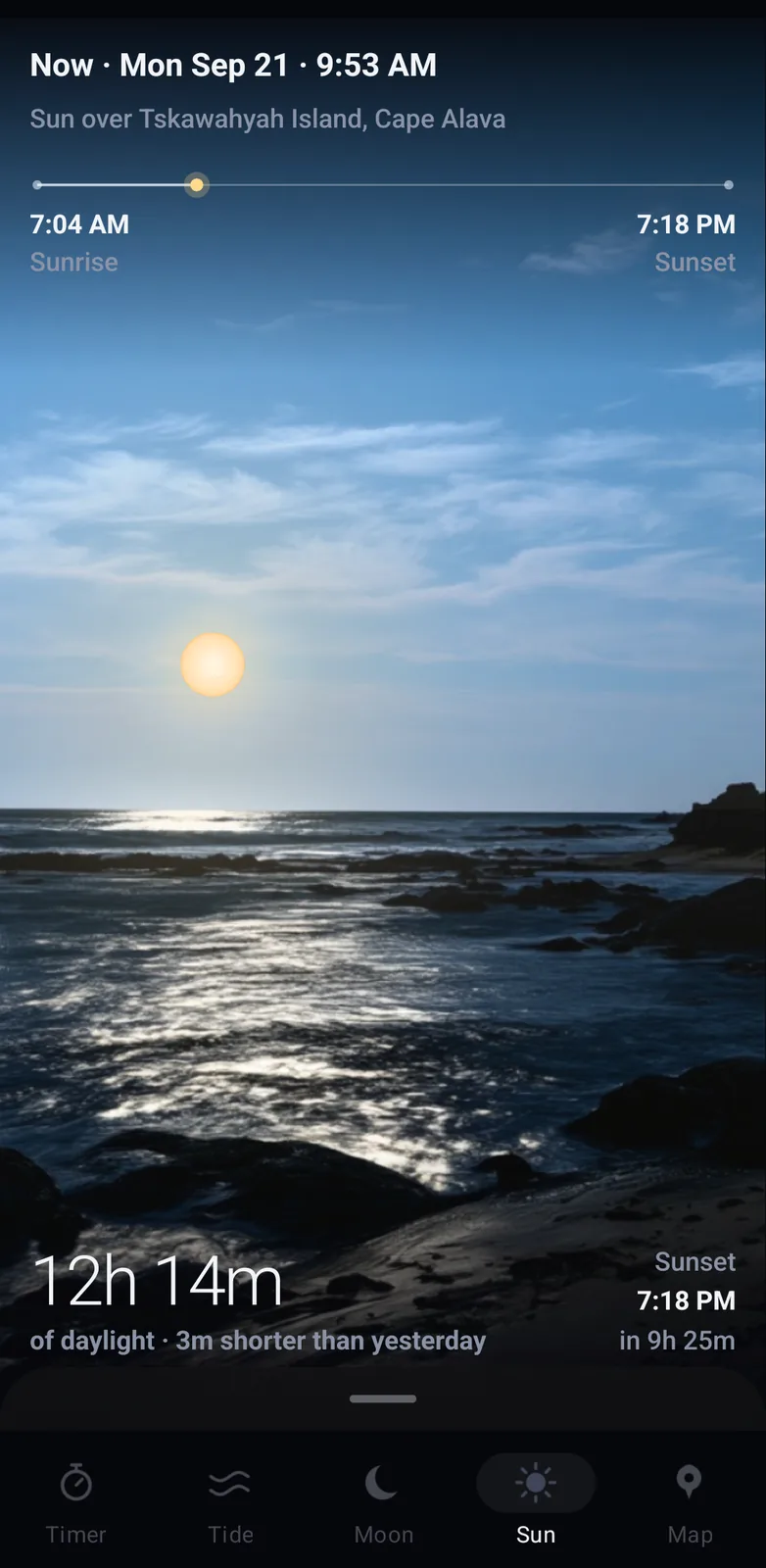
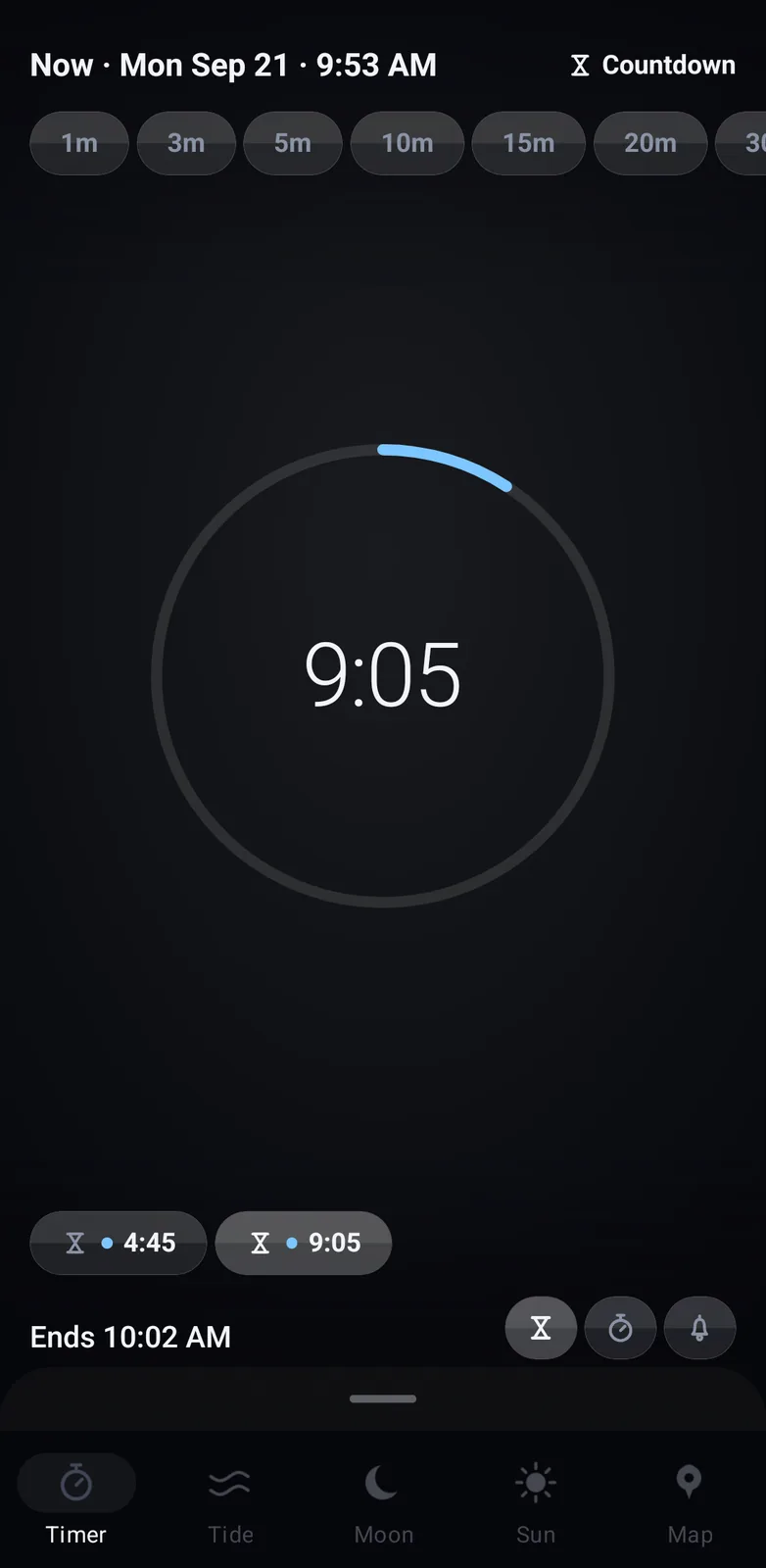
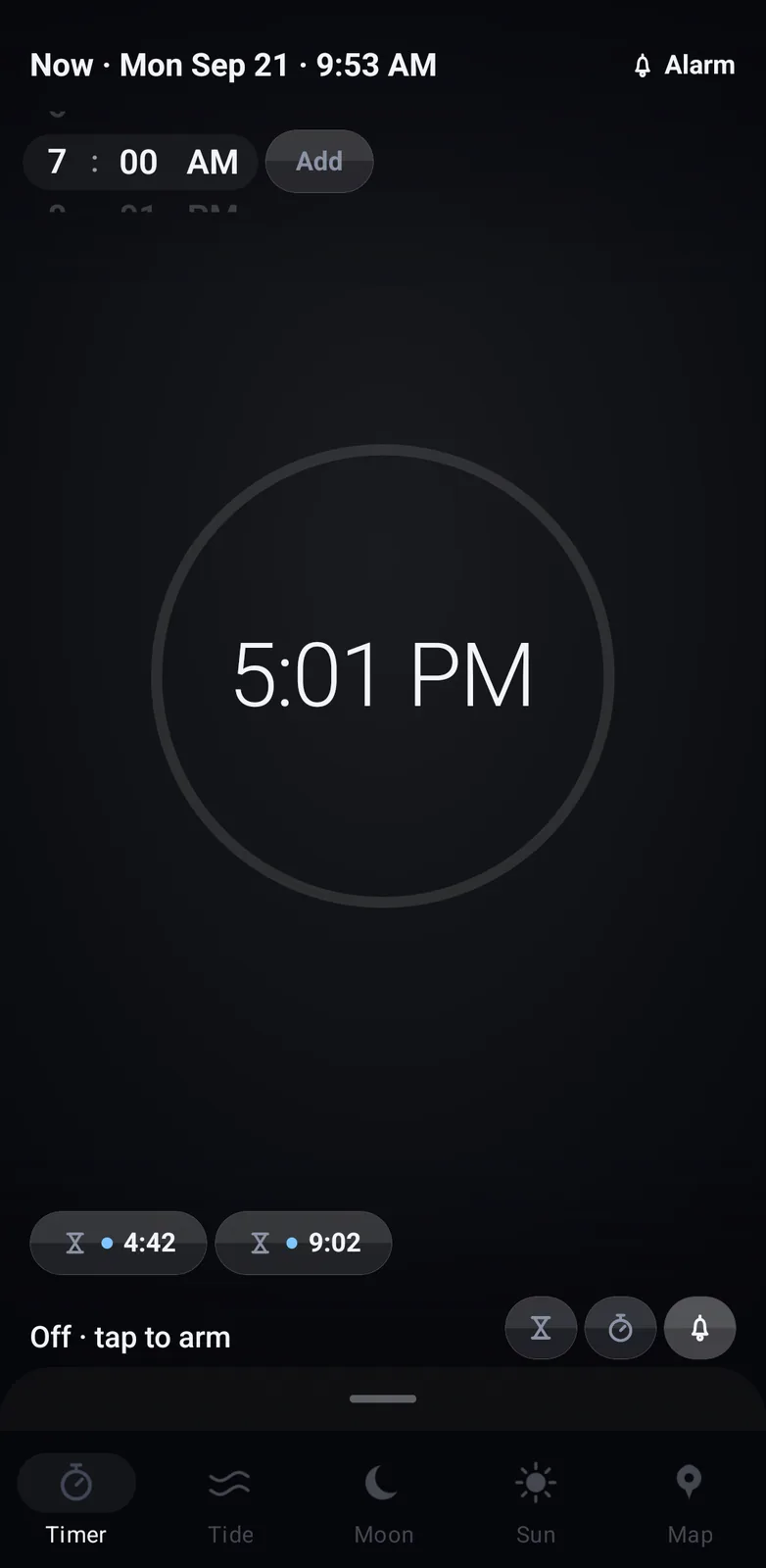
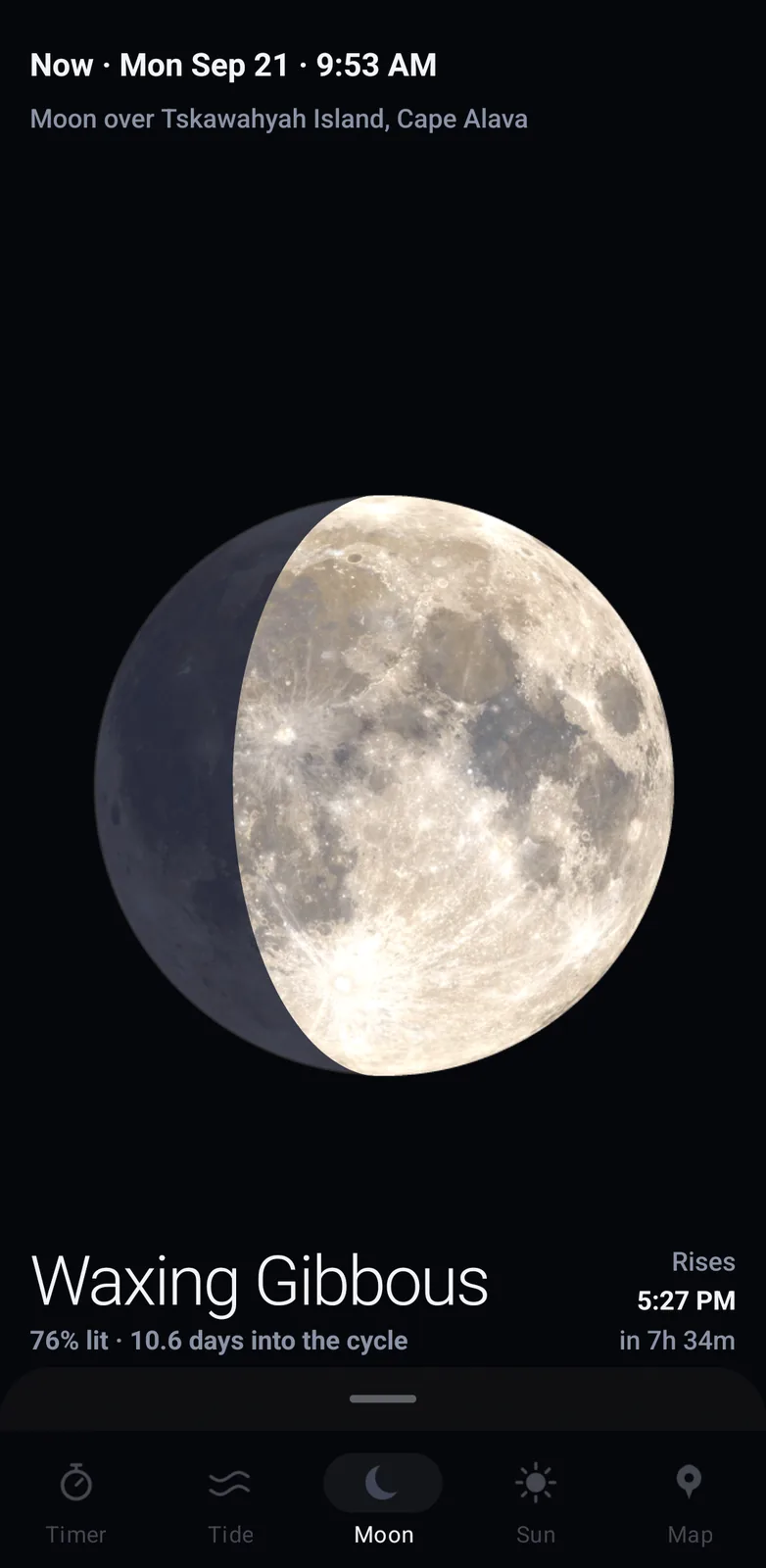
Know the water before you go. ManyMoons draws the tide at your station as a picture of the shoreline itself, the sky lit for the hour and the waterline riding the curve. Drag through the day to see what you will find at dawn. Tide tables, moon phases, sunrise and twilight, and a timer for the wait in between.

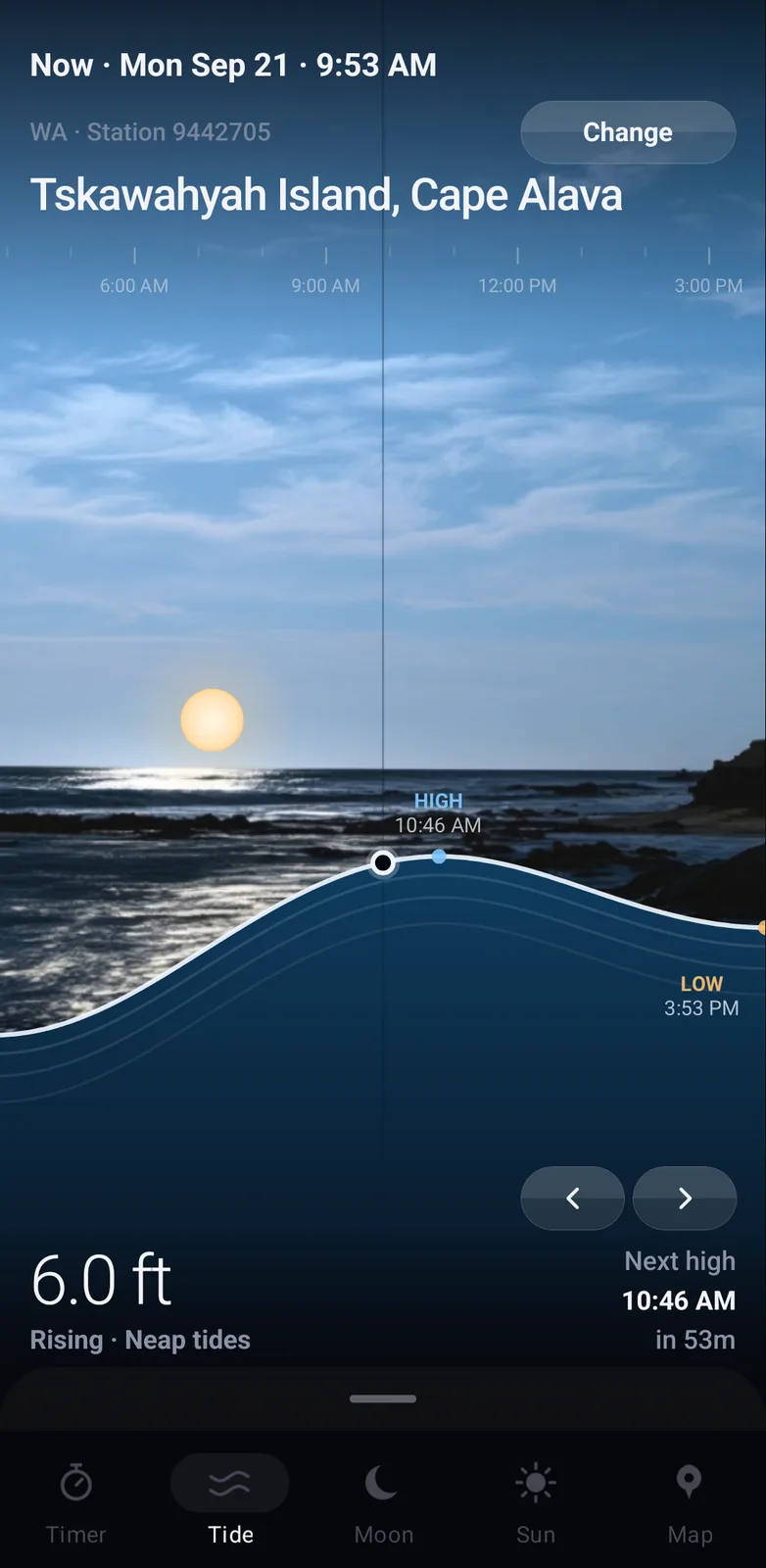
The ManyMoons tide screen: a photographed shoreline under a morning sky, the waterline drawn as the day's tide curve with the high and low marked, and 6.0 ft rising below it. The moon screen: a waxing gibbous moon drawn from NASA imagery at 76 per cent lit, 10.6 days into the cycle, rising at 5:27 PM. The sun screen: the sun low over the same shoreline on a track from sunrise to sunset, with 12h 14m of daylight, three minutes shorter than yesterday. The timer screen running a countdown: a row of preset lengths, 9:05 left on a ring that empties as it runs, two sessions going at once and the end time below. The same screen set to an alarm: a time picker at the head, 5:01 PM in the ring, and the two countdowns still running underneath.

TypeScript · iOS and Android

02 / project

mmyyxx

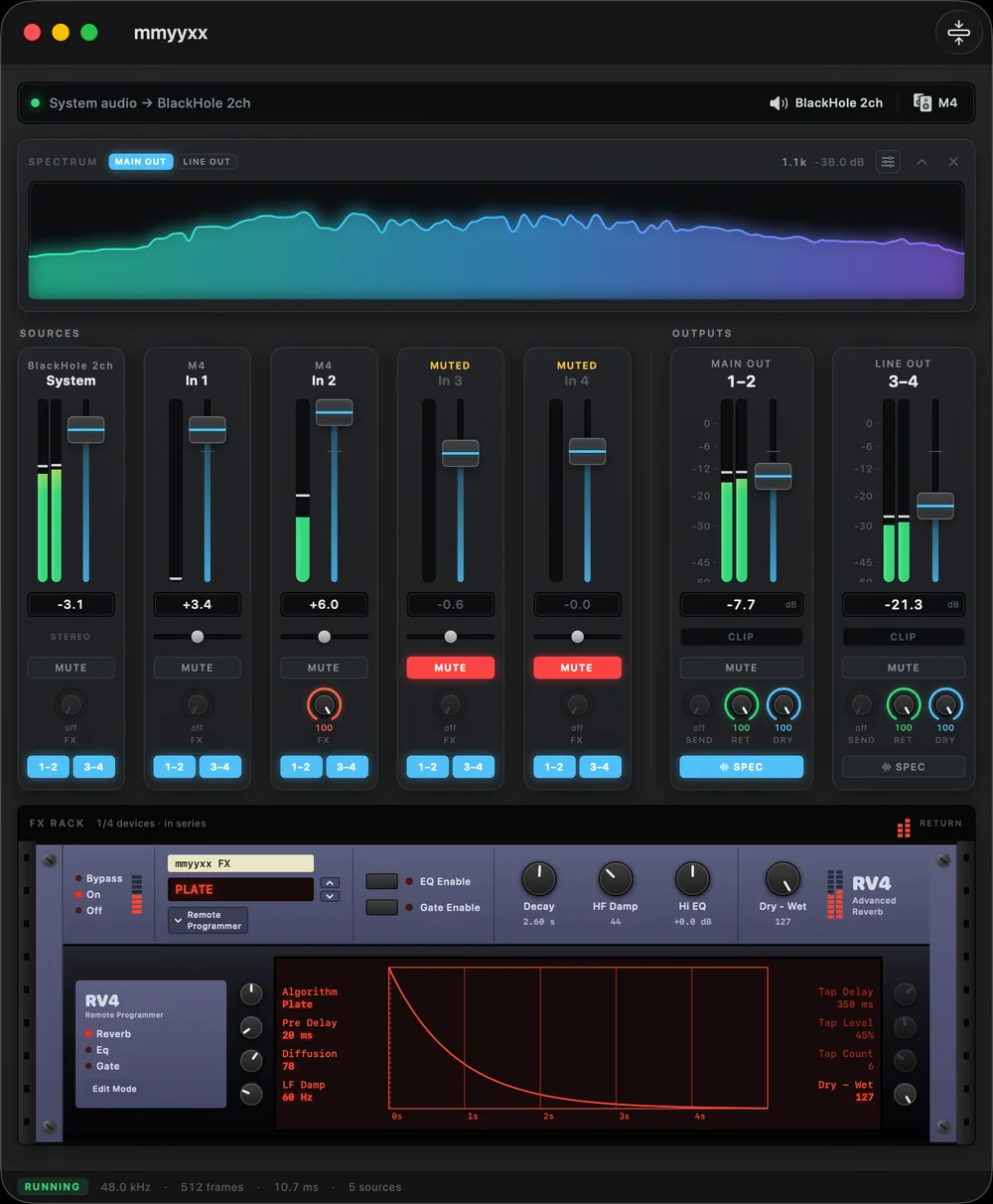
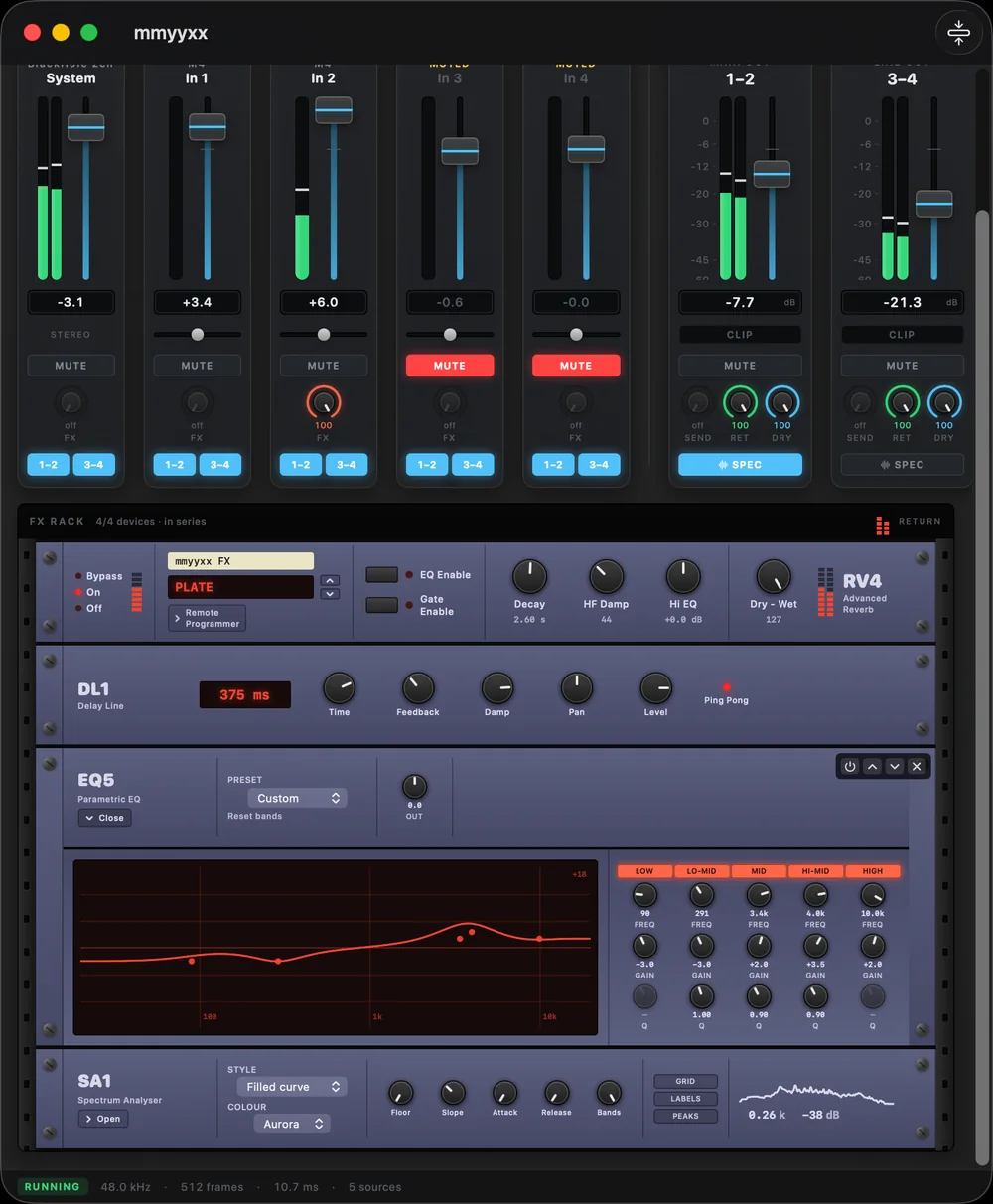
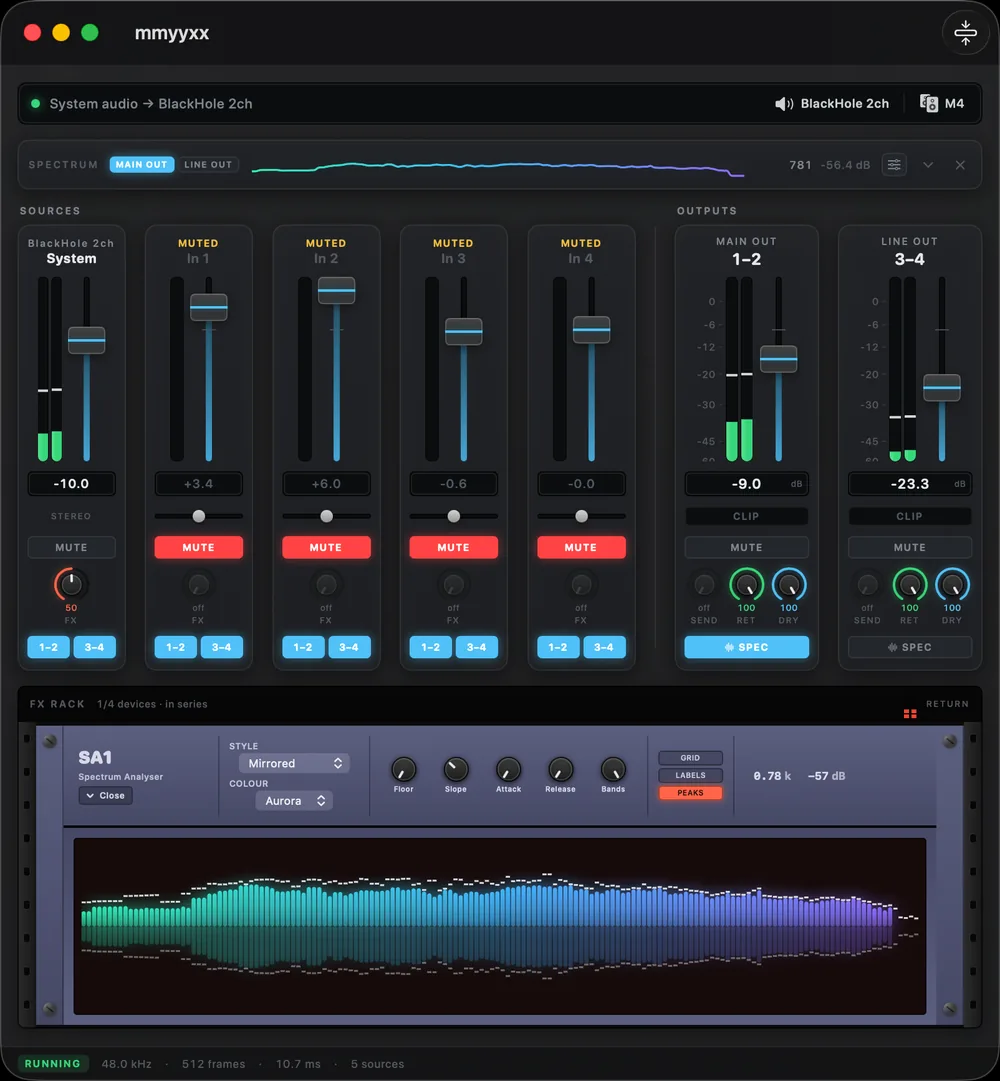
Every output on your interface, working at once. System audio and each input get a strip of their own, any strip goes to either output pair, and a rack of reverb, delay and EQ sits under the whole thing. Built for karaoke nights and live rooms, where the routing changes mid-song.

The mmyyxx window: a spectrum analyser over five source strips and two output pairs, above a 19-inch FX rack. The same window scrolled to the rack: an RV4 reverb, a DL1 delay, an EQ5 parametric EQ and an SA1 spectrum analyser mounted in series. The SA1 spectrum analyser open in the rack, its mirrored bars running the width of the pane over the five source strips.

Apple silicon, macOS 15 or later. Needs the free BlackHole 2ch driver to see system audio.

Swift · macOS

03 / project

comet

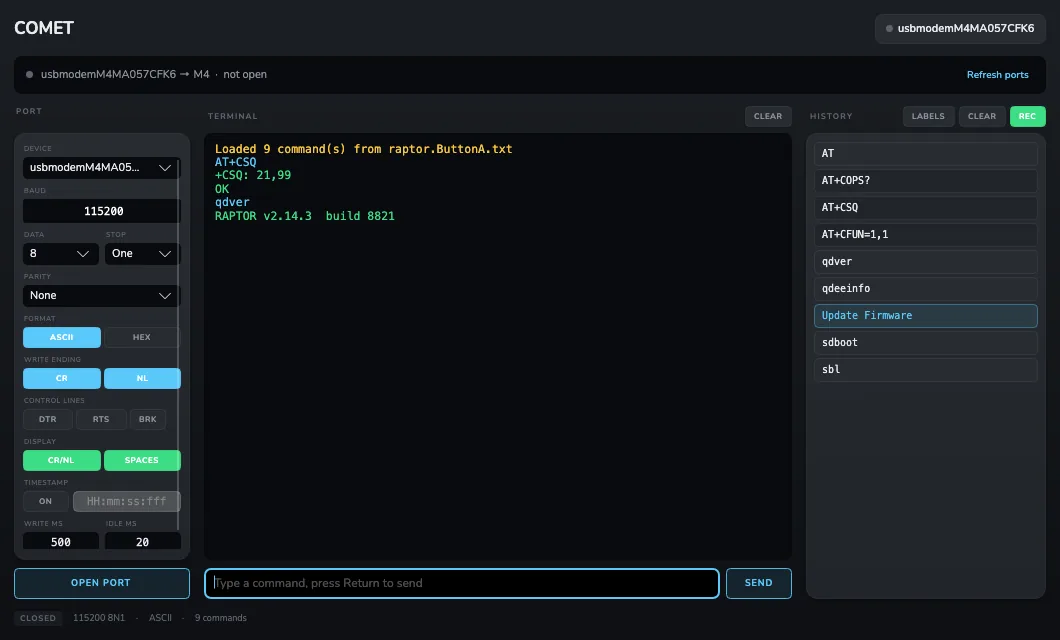
Plug in a serial device and get an interface for it. comet reads what the device says and builds the controls as it goes, so there is nothing to write first. Every command you send becomes a button waiting to send it again.

The COMET window: port settings down the left, a colour-coded terminal in the middle showing an AT command exchange with a modem, and a pane of history buttons on the right.

C# · Windows and macOS

04 / project

ryyple

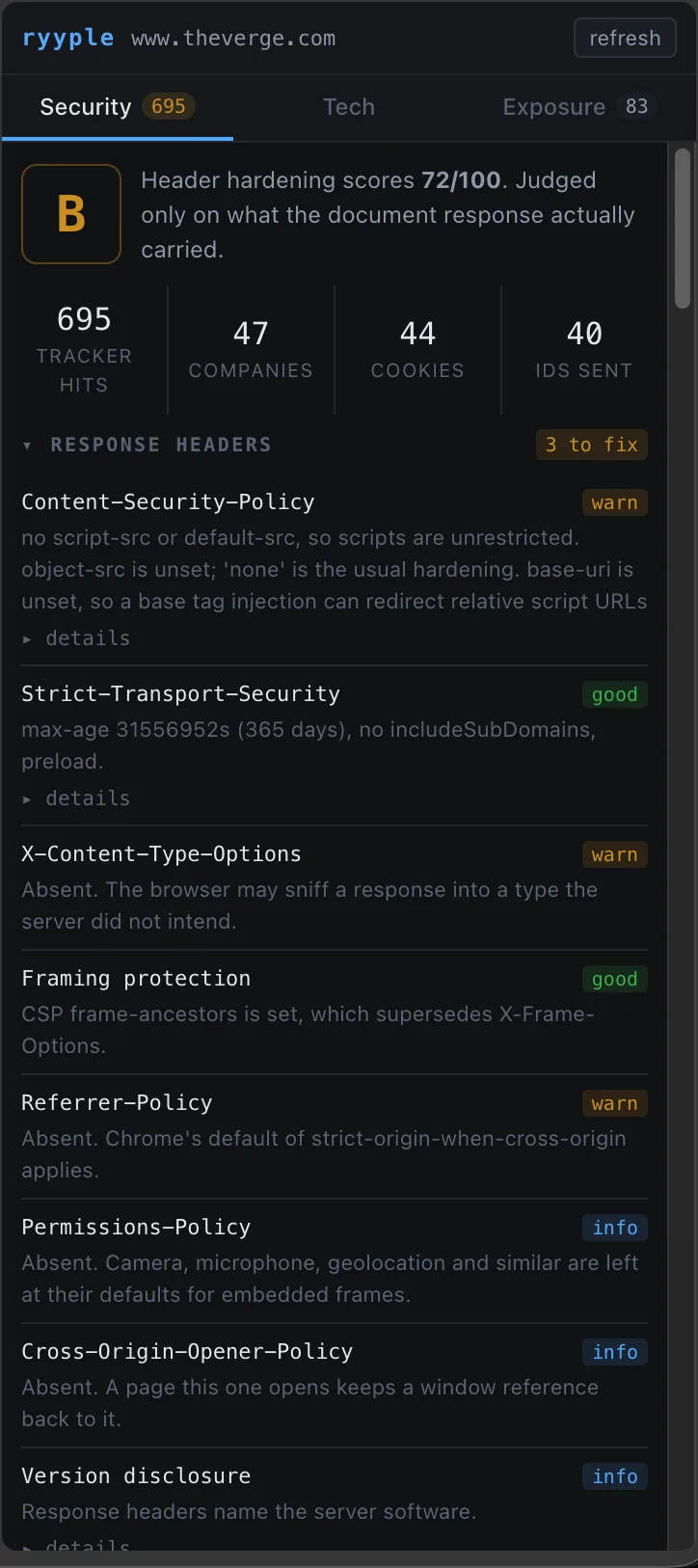
See what a website knows about you. Open the panel on any page and ryyple names who is watching, what they have stored, how the site is built and what it weighs, and which parts of your browser it read without asking. Everything it finds stays on your machine.

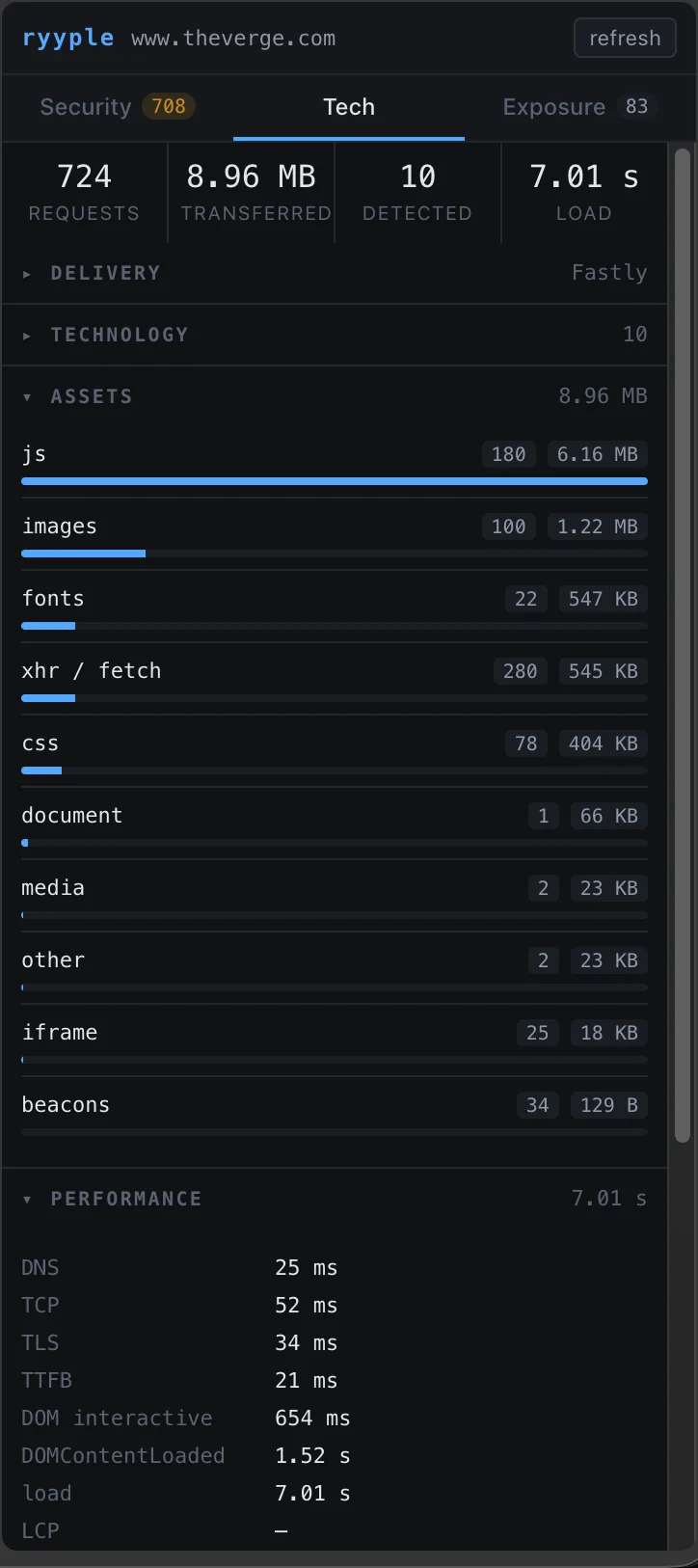
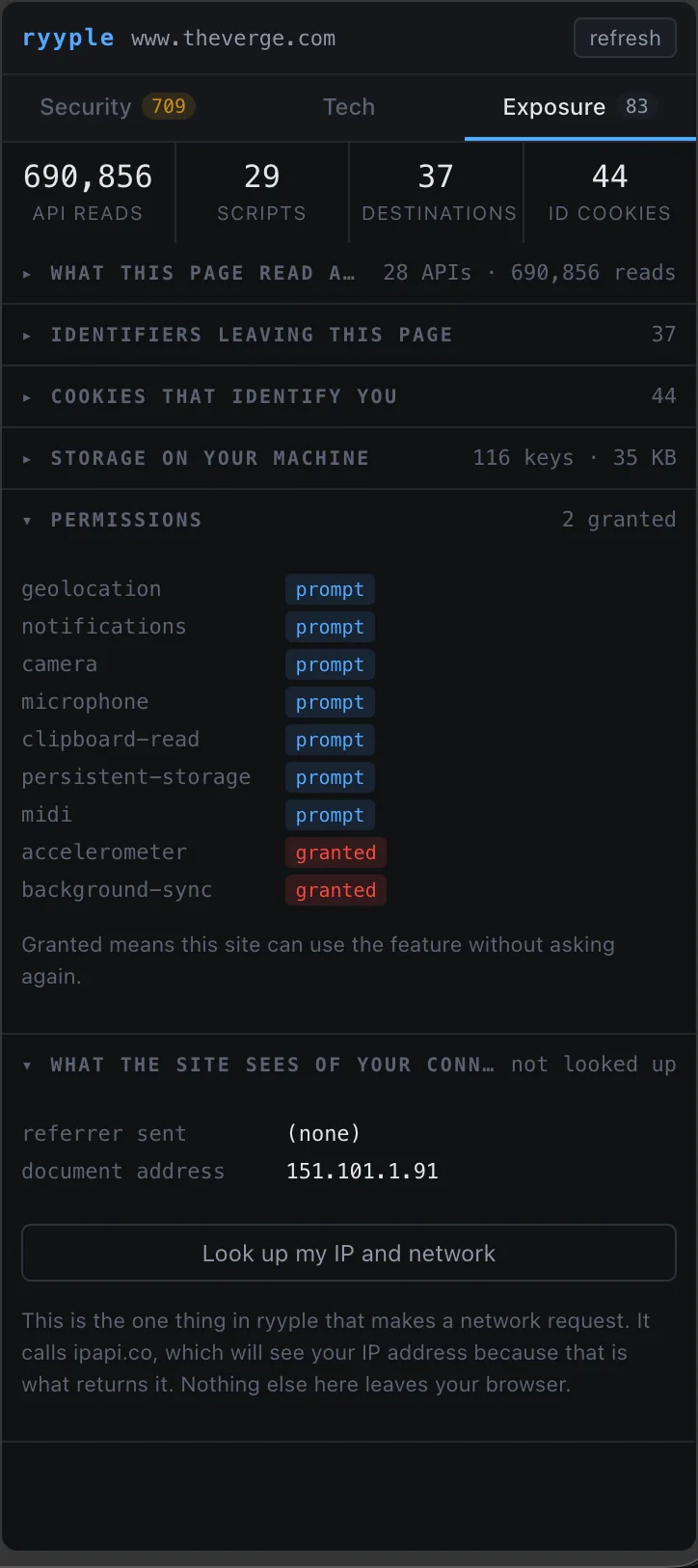
The ryyple Security tab reading a news site: a B for header hardening, then 695 tracker hits, 47 companies, 44 cookies and 40 identifiers sent, over each response header marked good, warn or info. The Tech tab: 724 requests, 8.96 MB transferred and a 7.01 second load, with the assets broken down by type as bars and the connection timings underneath. The Exposure tab: 690,856 API reads by 29 scripts to 37 destinations, the permissions the site holds, and the IP lookup that stays unpressed until you ask for it.

TypeScript · Chrome extension

05 / project

incase

The one thing about your companies that actually mattered today. Name a company and InCase watches everywhere it turns up, from its own newsroom to the wires, then hands you the day in three windows instead of a feed with no bottom.

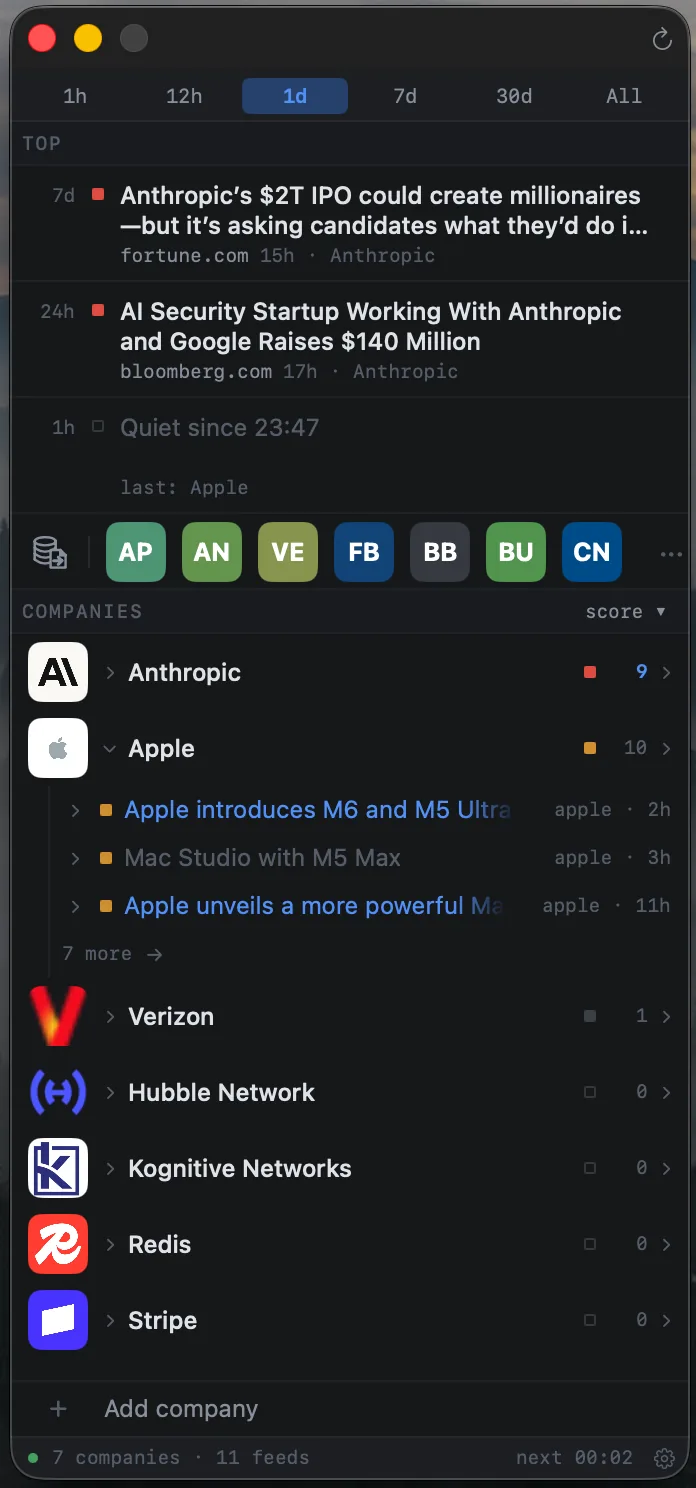
The InCase panel: pinned time windows over the day's top stories, a row of company logos, then each tracked company with its story count.

Designed to run on both Intel Macs as well as Apple silicon.

Swift · macOS, with iOS and Android to follow

06 / project

you, in xs

A live look at what your browser gives away. Open it and your own hardware, network and whereabouts are read back to you, taken from nothing but the fact that you arrived.
HTML, CSS and JavaScript · Cloudflare Workers

01

ManyMoons

02

mmyyxx

03

comet

04

ryyple

05

incase

06

you, in xs